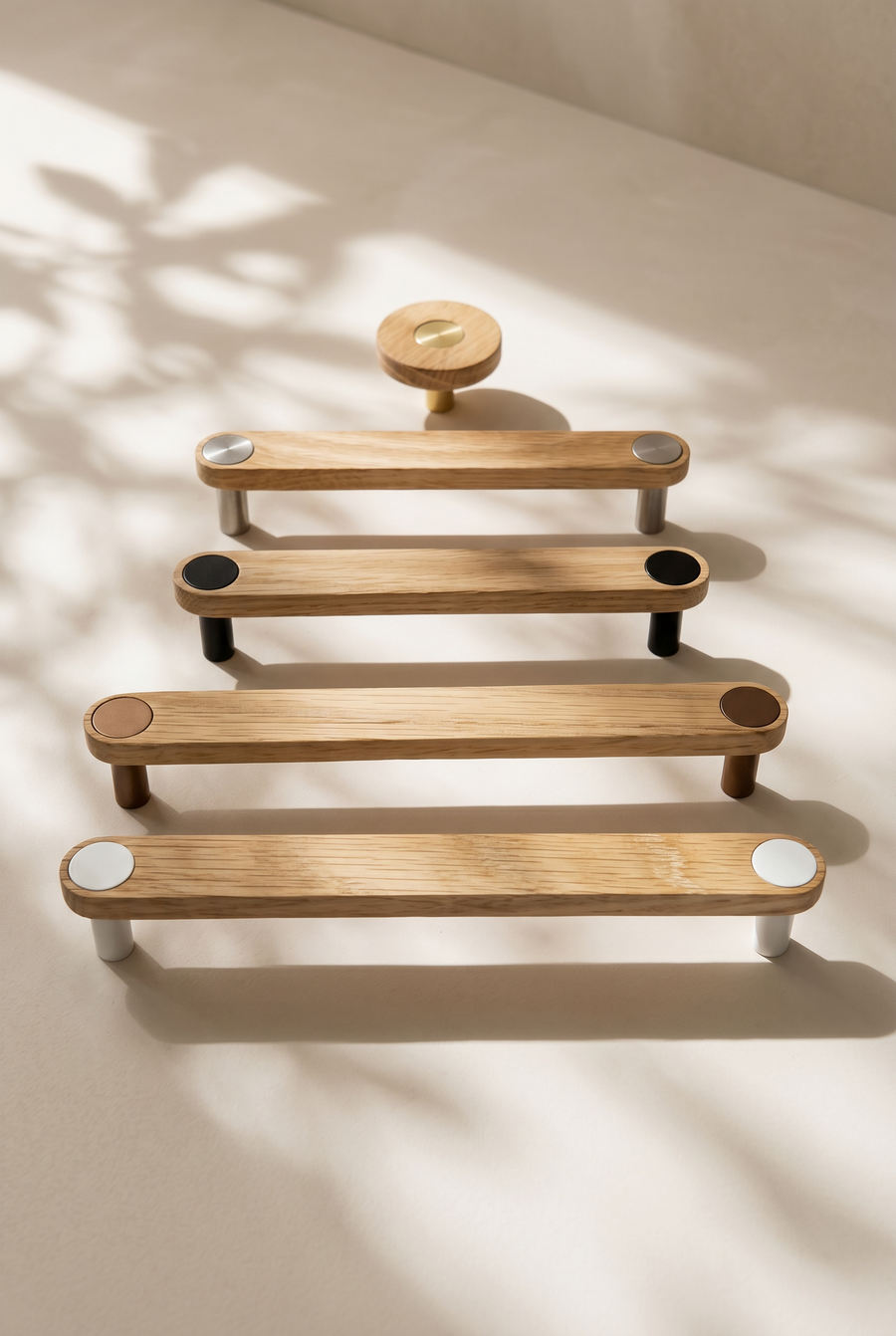
Introducing Design Your Own and the Door Visualiser
Build your handle in three steps, then see it on your door colour before you buy. How to use Design Your Own and the new Door Visualiser.

Choosing handles just got a whole lot easier.
Picturing a handle on a door that has not been built yet is hard. A swatch on a screen, a sample in your hand, a laminate chip from your joiner: none of them show you the finished thing together. So we built a tool that does.
Design Your Own brings the whole Ensemble range onto one page. Choose a material, a button and a size, and the photo changes with every choice. Then open the Door Visualiser and see that exact handle on a door colour close to yours, with its light and shadow intact.
The whole thing, start to finish, in forty seconds.
Three choices, one handle
The page works in three steps. You can go back and change any of them at any point, and the design card keeps up with you: photo, name, size, button and price.

1. Material
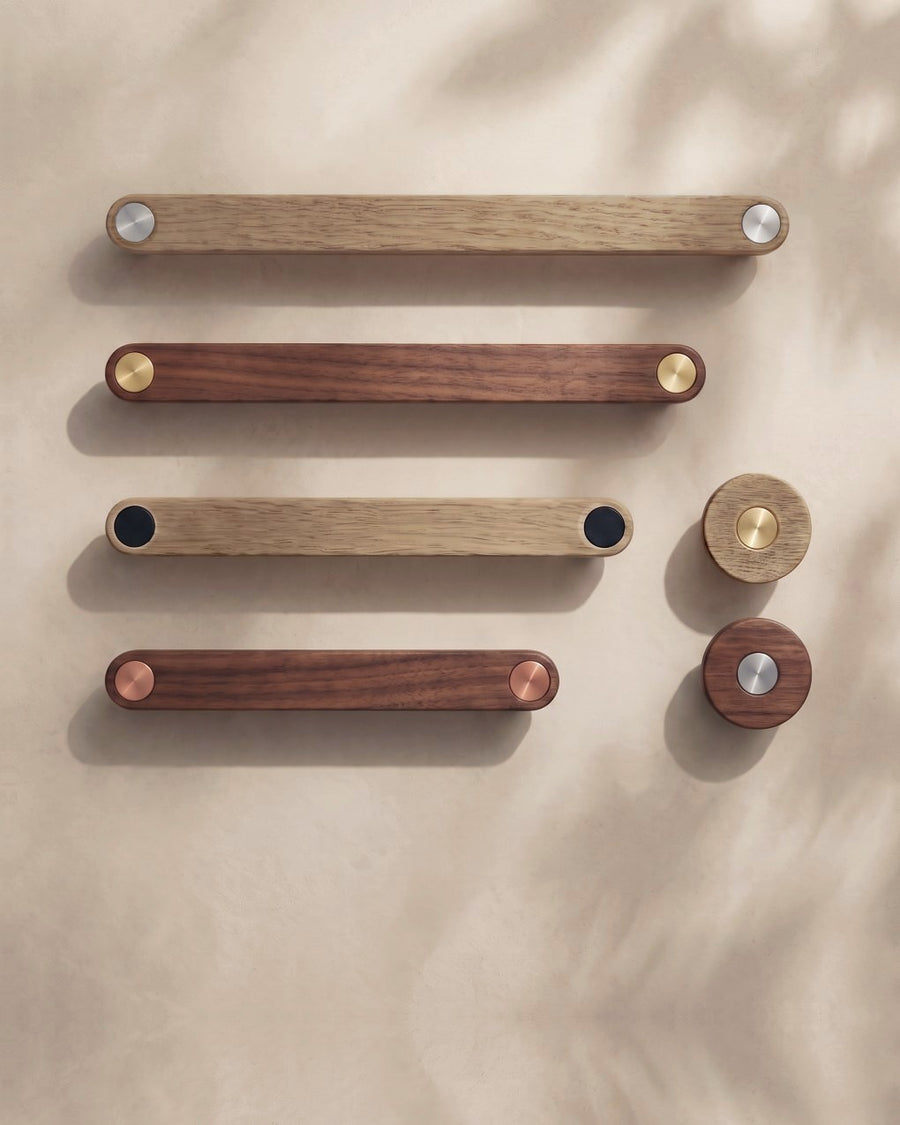
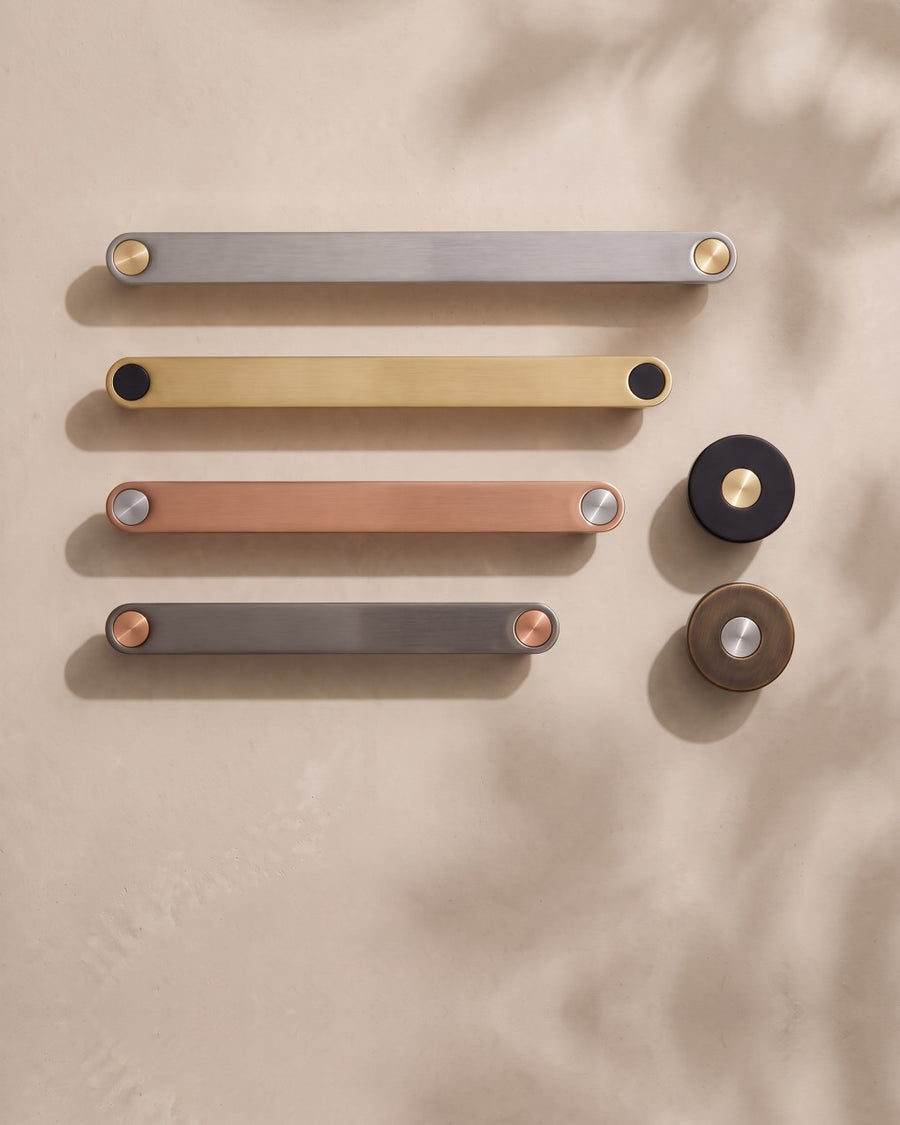
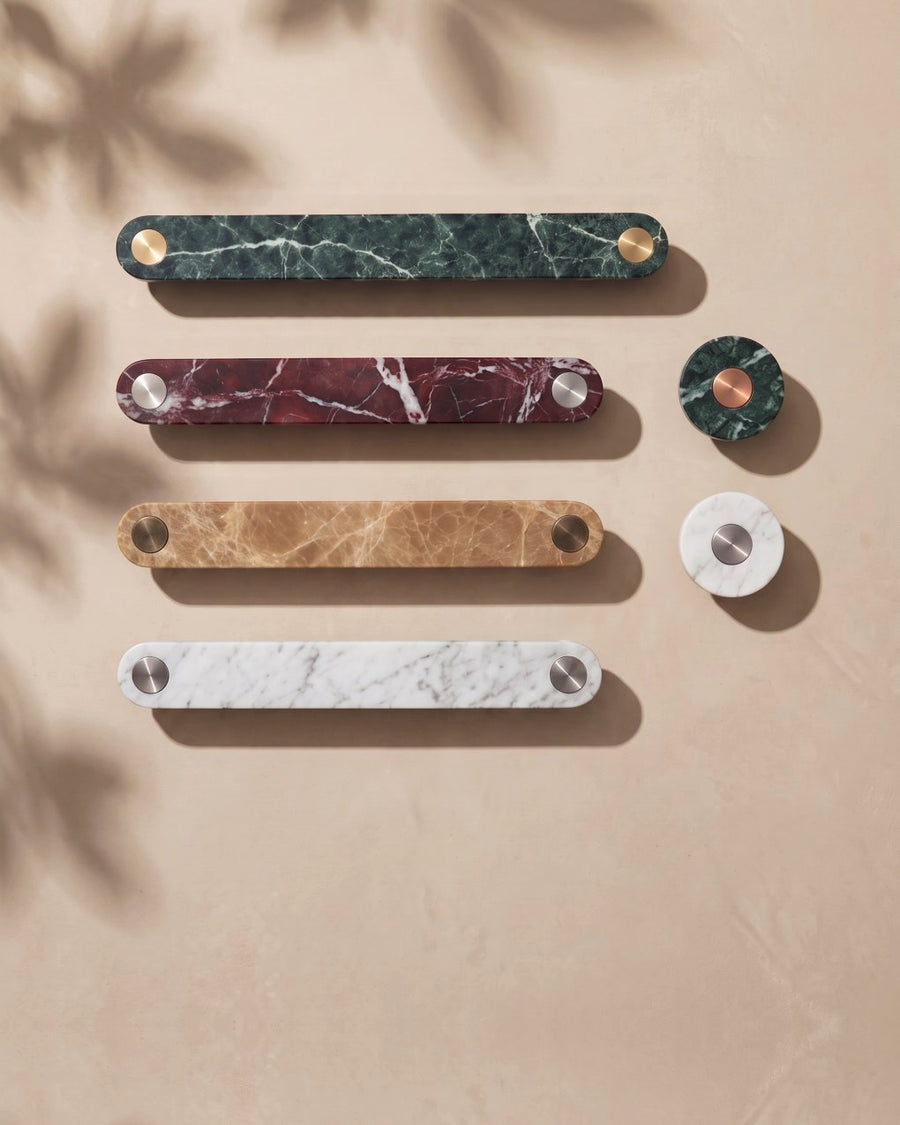
Start with the body of the handle. There are twelve to choose from:
- Marble: White, Latte, Red and Green.
- Timber: Oak and Walnut, American white oak in a natural or walnut finish, made in our Melbourne studio.
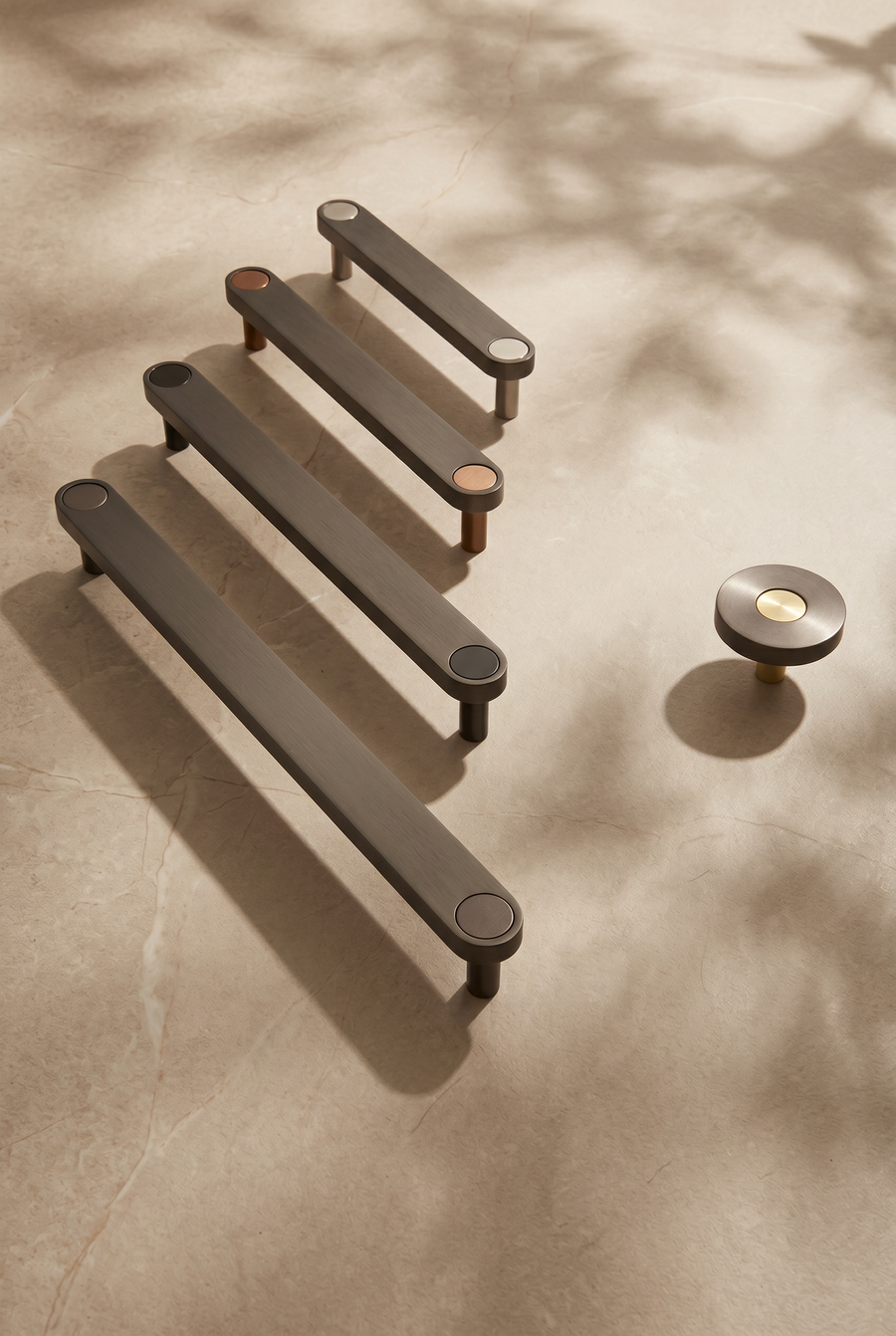
- Metal: Brass, Aged Bronze, Brushed Copper, Brushed Steel, Gunmetal and Matte Black.

2. Button
The button is the metal detail set into the face of the handle: one on a knob, two on a bar. There are seven finishes: Brass, Aged Bronze, Brushed Copper, Brushed Steel, Gunmetal, Matte Black and Matte White.
Go tonal, with a button close to the body, or go for contrast and tie it back to your tapware, lighting or another metal in the room. We have written more about that in mixing metal finishes.

3. Size
Choose a 40mm knob, or a bar handle at 128, 160, 192 or 224mm centres. Marble bars go up to 192mm. Centres are the distance between the two fixing holes; if you are not sure which you need, Help me measure opens our sizing guide.
When it is right, add it to your cart. Every design is made to order and dispatched within 1–2 weeks.
Designing a wall hook instead? Design your own hook works the same way: pick a material and a button, then choose a single hook or a Pack of 3.

See it on your door
This is the part we are proudest of. Tap Door Visualiser on the photo and choose a door:
- Laminate: twelve colours, from Warm White, Cream, Oyster and Stone, through Taupe, Blush, Mustard, Tan and Clay, to Steel, Sage and Olive.
- Timber: seven finishes, from Whitewash and Natural Oak, through Smoked Grey, Walnut and Espresso, to Charcoal and Ebonised.
The handle is shown on the door using our own product photography, so it keeps its real shadow and light, and the grain on a timber door runs vertically, as it would on your cabinetry. It sits on the door rather than floating over it.

Your door stays put while you keep designing. Change the material, the button or the size and the new design appears on the same door, which makes it a quick way to compare.

One Sage laminate door, six designs.
Or work the other way: settle on a handle, then run it across every door you are considering.

One Walnut handle with Brass buttons, six doors.
Colours on screen are a guide only. Every screen shows colour a little differently, so if you are matching an exact laminate or paint, check your final choice against a physical sample of your door.
On product pages too
If you would rather shop one material at a time, the same visualiser is on every Ensemble handle and knob page. Choose a size and a button finish, and Try it on your door appears on the photo.

Save, compare and share
Most rooms take more than one decision. Tap the heart beside Add to cart to save a design to your Shortlist; it remembers the door you saw it on. Open your shortlist from the heart at the top of any page.
Add a note to each design, such as "kitchen drawers × 8", "vanity" or "pantry doors", then share the list as a link or send it by email. It is the simplest way to show a partner, your builder or your cabinetmaker exactly what you have in mind.

For a single design, Share this design creates a link that opens the page with your material, button and size in place, and Specifications shows the dimensions, with a spec sheet to download.
On your phone
Design Your Own works just as well on a phone. The photo stays at the top of the screen while you scroll through the choices, so you see every change as you make it.

For trade
Log in with your trade account and Design Your Own shows your trade price as you build. Shortlists with notes make it simple to put options in front of a client and get a decision back, and the Door Visualiser lets them see the handle on a door colour close to theirs before anything is ordered. Not a member yet? Apply for a trade account.
Common questions
How accurate are the door colours?
They are a guide. The handle keeps its real shadow and light from our product photography, but every screen shows colour differently. If you are matching an exact laminate or paint, check your final choice against a physical sample.
Can I see a specific brand's laminate colour?
Not yet. The visualiser uses a set of twelve laminate colours and seven timber finishes rather than a brand's full range. Choose the closest match and compare it with your sample.
Do I need an account to save a shortlist?
No. Your shortlist is saved in your browser on that device. To open it somewhere else, or to show someone else, use Share or Email.
Can I order different designs together?
Yes. Add each design to your cart and mix materials, buttons and sizes in one order.
How long will my order take?
Every design is made to order and dispatched within 1–2 weeks. Delivery within Australia then takes 2–6 business days.
Related reading
- Cabinet Handle Sizing: 128, 160, 192 or 224mm Centres?
- Mixing Metal Finishes in a Kitchen
- Where to Position Cabinet Handles
We built this because we kept watching people try to imagine a handle on a door that only existed in a drawing. Now you can see it. Start designing yours.
Materials, handled.
— David & Nigel